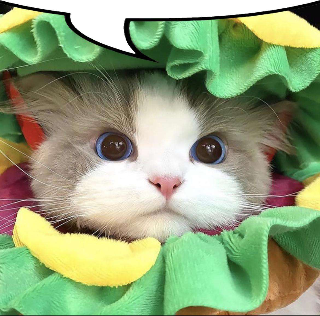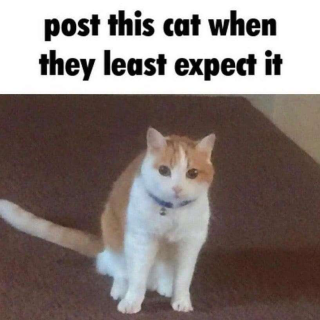
surprise cat Sticker

surprise cat Discord Sticker

surprise cat Cat Sticker

More Cats Stickers

Frequently asked questions

How to use the surprise cat Sticker on Discord

To upload and use custom Discord Stickers like the "surprise cat", you’ll need:

  • A Discord Nitro subscription
  • A server with Level 1 Boost or higher
Steps:
  1. Open your Discord server and go to Server Settings
  2. Select the Stickers tab
  3. Click the + button to add your sticker
  4. Upload the image from Stickers.gg
  5. Give it a name, set an emoji (optional), and save

You can now use the surprise cat sticker in chat 🎉

How to use the surprise cat Sticker on WhatsApp

To use the "surprise cat" sticker on WhatsApp:

  1. Download the image from Stickers.gg
  2. Use an app like Sticker Maker for WhatsApp
  3. Create a new sticker pack and import at least 3 stickers
  4. Export the pack to WhatsApp

Your new stickers will be available in your WhatsApp sticker tray 📱

How to use the surprise cat Sticker on Telegram

To upload the "surprise cat" to Telegram:

  1. Message the @Stickers bot
  2. Send /newpack and follow the prompts
  3. Upload the image (preferably 512x512, PNG or WEBP)
  4. Assign an emoji
  5. Use /publish to finish

You’ll be able to share your sticker in any Telegram conversation!

How to use the surprise cat Sticker on iMessage

To use the "surprise cat" sticker on iMessage:

  1. Download the image to your iPhone
  2. Open the Photos app
  3. Tap Share and select Messages
  4. Send it to your contact
  5. (Optional) Tap and hold to drag it as a sticker in chat

You can also save it as a favorite for quick access 📲

How to use the surprise cat Sticker on Signal

Signal doesn’t have native sticker uploading for users, but you can still use the "surprise cat" sticker as an image in chats.

Steps to use it on Signal:
  1. Download the image from Stickers.gg to your phone
  2. Open the Signal app
  3. Go to a conversation and tap the + button
  4. Select Gallery and choose the sticker image
  5. Send it as an image in the chat

Bonus: You can mark the image as a favorite or pin it for quicker access later